


Quick Search
Google, YouTube, Reddit, Maps—and more.
Your last provider stays ready, while a separate bookmark search finds anything already in your grid.
The new tab, reimagined
A faster, calmer home for every site you use—beautiful on every screen and entirely yours.

Beautifully customizable
Grids and folders
Fast Quick Search
Truly responsive
Private and lightweight
Live header weather
Everything in its place
Start with focused grids and a look that feels like yours. Add smarter cards, faster search and saving, useful weather, and the confidence to keep your setup synced, backed up, and ready to change.
Structure without clutter
Create focused grids for work, home, travel, entertainment, or whatever comes next. Place related grids inside folders and move between them without losing your flow.

Every detail, considered
Start with a polished preset or tune the color, type, card shape, spacing, logos, and background until it feels exactly right.

One card. Two useful places.
Open an inbox or compose a message. Jump to a public site or its admin. SpeedGrid lets one clean card hold the two places you actually need.


Move at the speed of thought
Search the web without leaving your dashboard, or send the page you are already viewing into SpeedGrid in a couple of clicks.
Quick Search
Your last provider stays ready, while a separate bookmark search finds anything already in your grid.

Save for Later
Save the current page to a dedicated grid, or choose one you already use, directly from your supported browser.
A useful detail, kept quiet
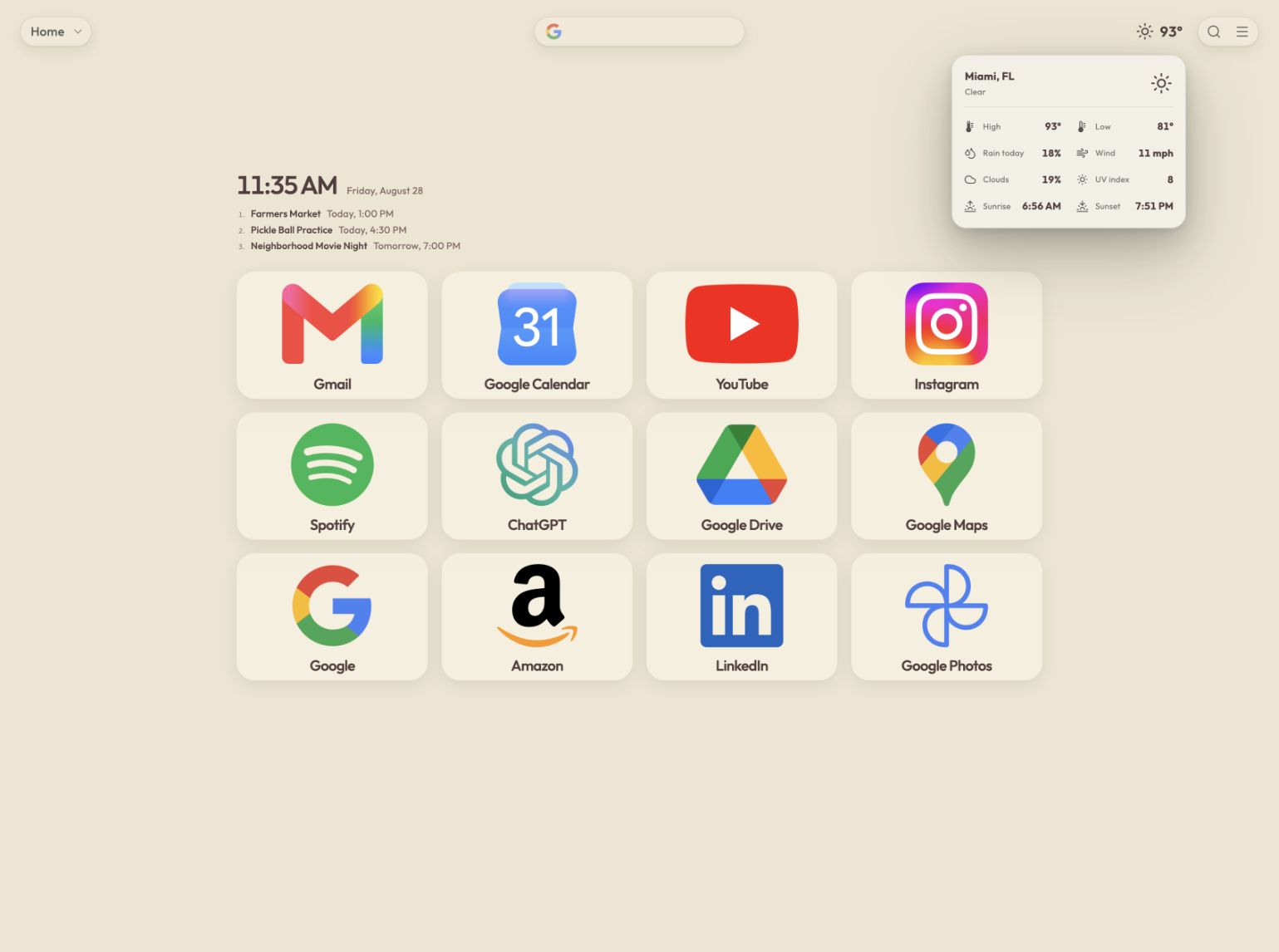
SpeedGrid Plus can keep the current conditions in your header. Hover or focus to see the high, low, rain, wind, clouds, UV, sunrise, and sunset—then let the forecast fold away so your destinations stay in charge. Provided by ShootCast.

Built for real life
Your signed-in SpeedGrid follows you across devices. Export tools and Plus restore points add another layer of confidence when you want to experiment or recover an earlier setup.
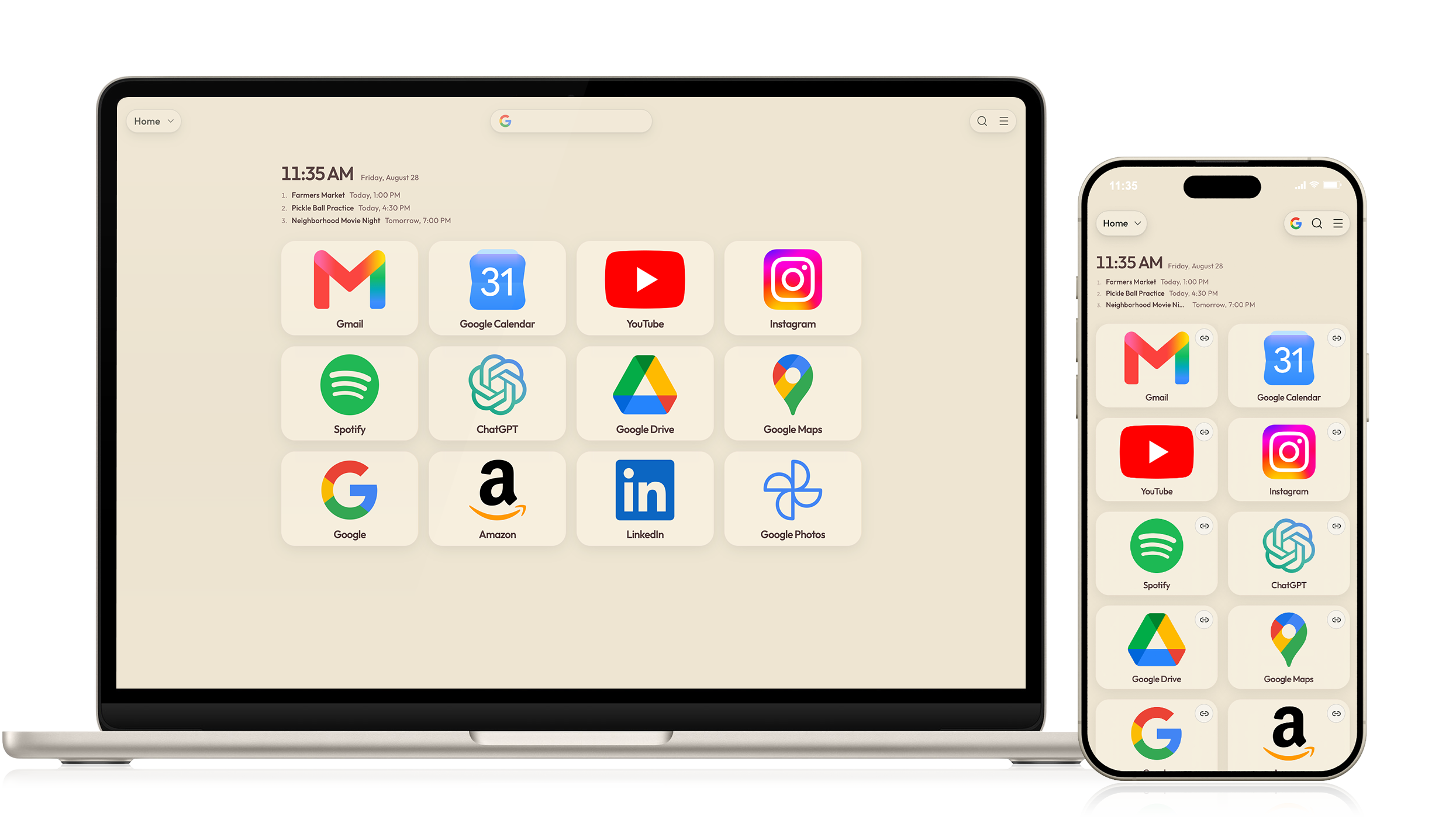
One SpeedGrid. Every screen.
SpeedGrid is not a desktop page squeezed onto a phone. Its layout, controls, cards, and typography respond deliberately to the screen in front of you.
Good to know
Yes. Start with a useful, polished dashboard for free. Plus adds deeper personalization, premium backgrounds, calendar feeds, live header weather, restore points, and more.
Install SpeedGrid in a supported browser and approve the new-tab change once. Chrome and Brave users can install it through the Chrome Web Store, Edge users can use Microsoft Edge Add-ons, and Firefox users can use Firefox Add-ons. Safari can open SpeedGrid as its new-tab homepage. You can also use SpeedGrid directly from the web: sign in or create an account from any modern browser or device.
Yes. SpeedGrid is built to adapt to phones, tablets, laptops, and large displays. You can also add the web app to a mobile home screen.
Yes. Export bookmarks from your browser, then use SpeedGrid's import flow to bring them into a grid and organize them from there.
Your signed-in setup follows your account. Plus restore points and export tools give you additional ways to recover or move your dashboard.
SpeedGrid's new-tab extension is intentionally focused. It does not need invasive access to your browsing history to show your dashboard.
Ready when you are
Start free today. Build the dashboard you wish your browser already had.